
TV Wall Design App: See 3 Looks on Your Own Living Room Wall
A good TV wall design app shows you the wall you actually have. Photograph your living room, describe the finish you are considering, and compare three designs on your own photo. Below: how to choose the finish, the light and the things around the screen.

- Free within usage limits
- No account needed
- Android app
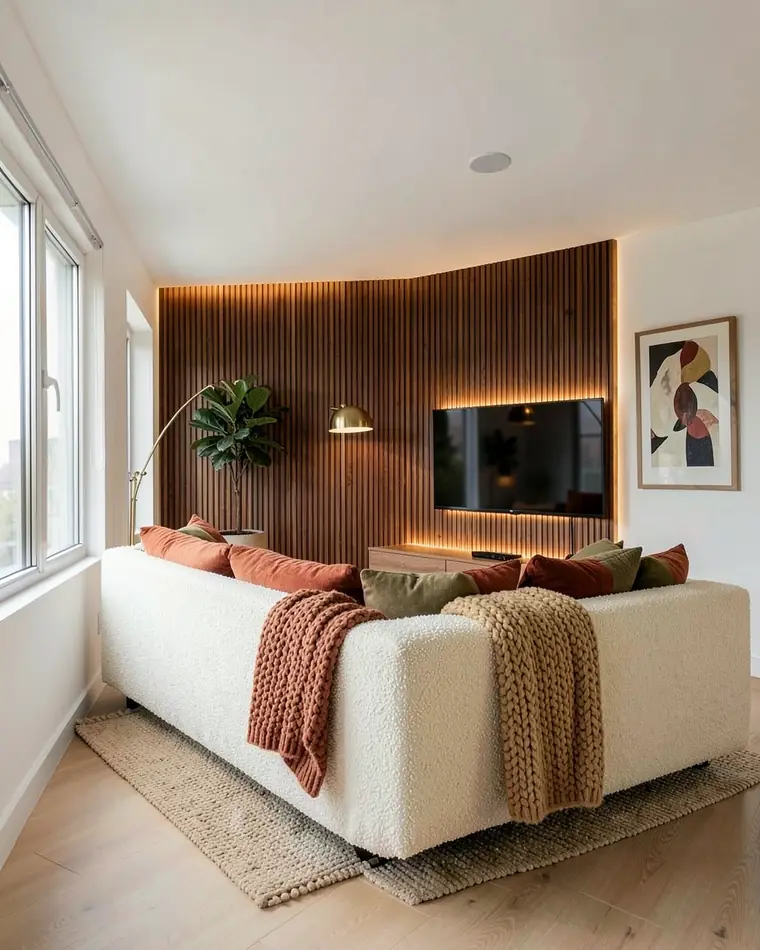
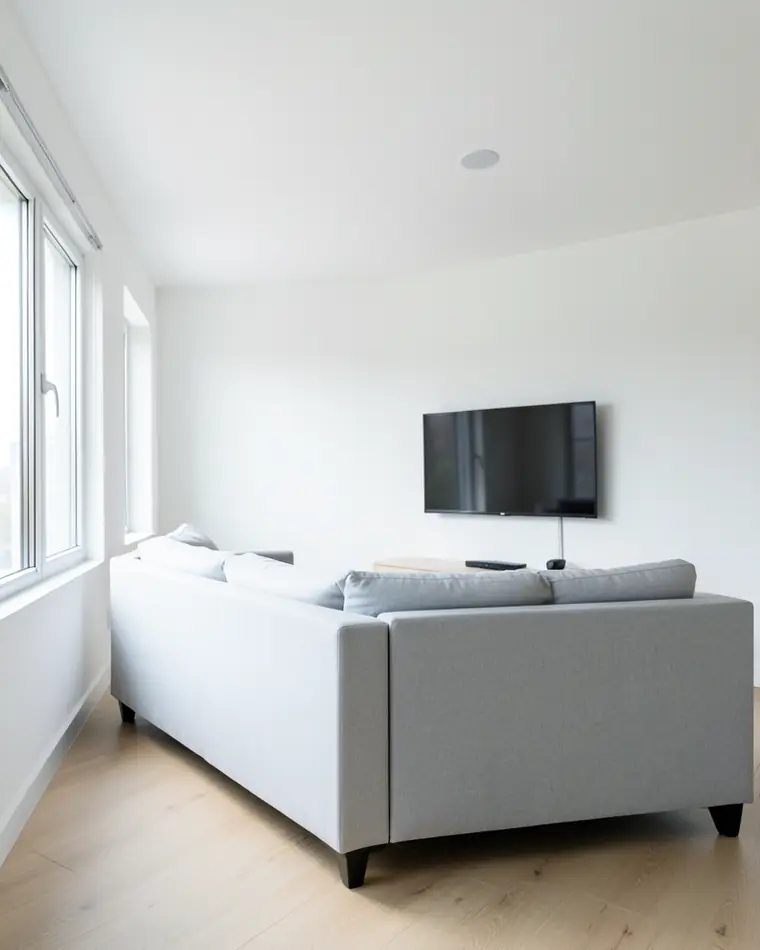
What makes a TV wall look designed instead of left over?
A TV wall looks designed when the screen sits inside a composition instead of alone on a flat wall. A black rectangle on white paint pulls the eye to the one object you do not want to stare at when it is switched off. Give the wall a finish, a base and a few things around the screen, and the TV becomes one part of the wall.
We suggest thinking in four layers. The wall finish, whether paint, slats, plaster or panelling, sets the mood. A low unit or console under the screen gives it a base. Shelves, a niche or art on the sides frame it. Soft warm light behind or beside the TV ties the layers together. You do not need all four, and two done well usually look better than four done halfway.
Start from the room instead of the TV. Look at where the sofa sits, where daylight comes in and which wall your eye meets first from the door. We lean toward matte finishes next to the screen, and it helps to look at the wall in the morning and in the evening before you decide.
Three TV wall designs for one living room
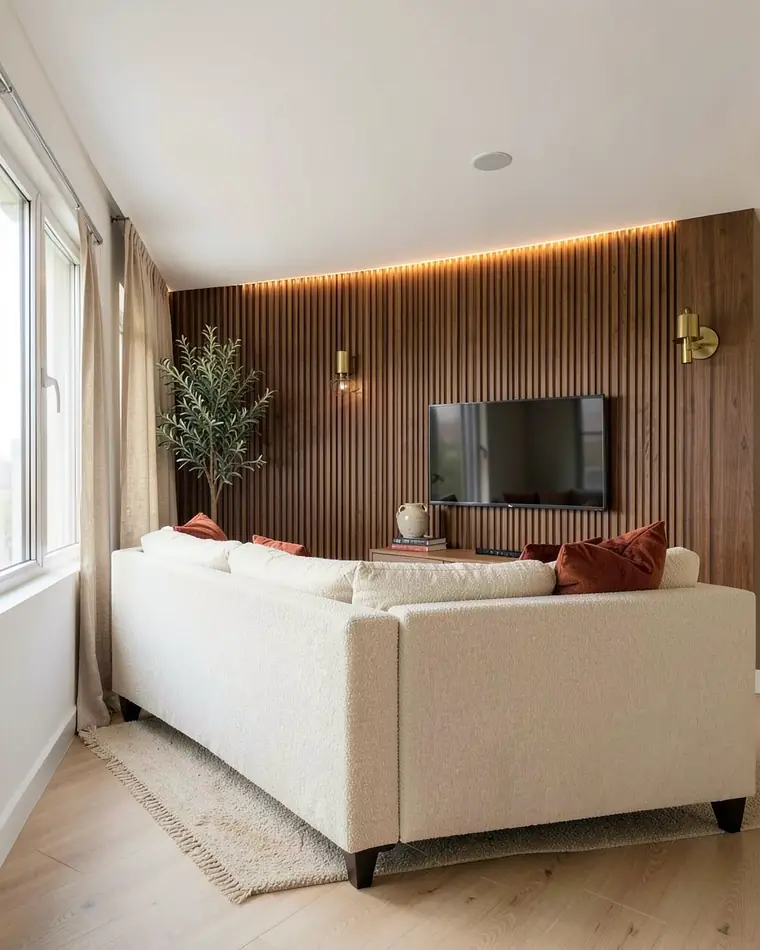
Walnut slats
A floor-to-ceiling wall of vertical walnut slats with a hidden warm LED strip, a long floating oak console and a cream boucle sofa with rust cushions. The warmest of the three, and the light along the slats does most of the work.
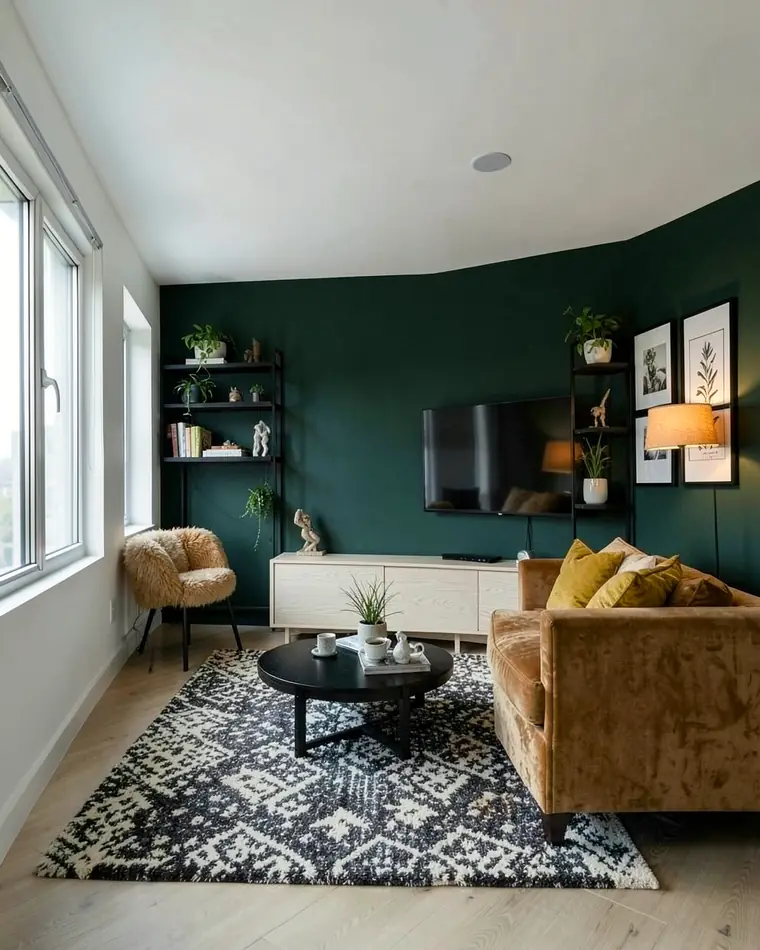
Deep green shelves
The TV wall in deep forest green with matte black open shelves on both sides of the screen, a low white oak sideboard and a camel velvet sofa with mustard cushions. The most dramatic of the three, and the shelves keep the screen company.
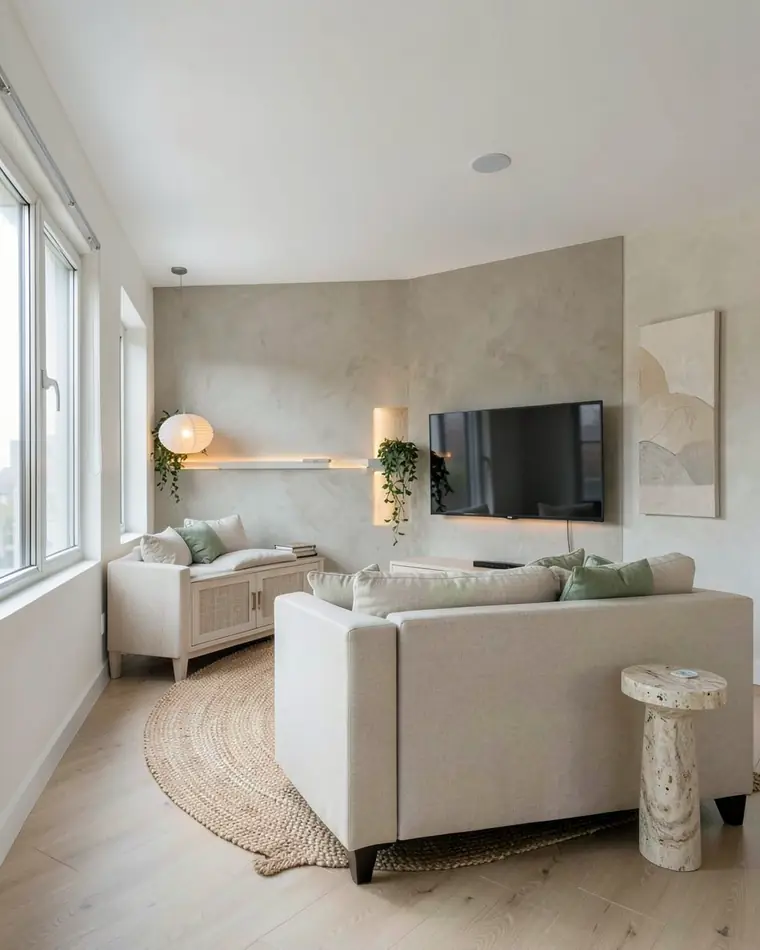
Limewash and stone
A limewash wall in soft greige with a recessed niche lit from within beside the TV, a low oak cabinet with linen-front doors and a curved oatmeal sofa with sage cushions. The calmest of the three, and it keeps the room bright.
TV wall design for a living room: which finish and color?
Choose the finish first and the color second. A finish decides how the wall feels from across the room, and a color only changes it a little. Five finishes are enough to start with.
| Finish | What you see | Mood |
|---|---|---|
| Wood slats | Vertical lines in walnut or oak, often with light behind them | Warm and structured |
| Deep paint | One saturated color such as forest green | Cozy and dramatic |
| Limewash or plaster | A cloudy, hand-finished surface in greige or sand | Calm and earthy |
| Slim panelling | Framed panels painted in one soft shade | Classic and quiet |
| Open shelves | Black metal or oak shelves on both sides of the screen | Collected and personal |
Keep the rest of the room in two or three colors that repeat the wall in small doses. A walnut wall sits well with cream, rust and brass. Forest green pairs with camel and mustard, and a greige limewash wall pairs with oatmeal and sage.
If you want the switched-off screen to fade into the background, we suggest a dark matte wall. If you want the room to stay airy, a light textured wall works, as long as something warm sits beside the screen, such as a lamp, a plant or a shelf.
Lighting, shelves and plants: what goes around the screen?
Warm light does most of the work on a TV wall. A hidden LED strip behind slats or inside a niche, a sconce on each side or an arc floor lamp beside the sofa all give soft evening light. We prefer warm white over cool white next to wood and plaster, and we keep the light indirect so no bare bulb is visible.
A low floating console in oak or white keeps the zone under the screen calm. On open shelves, group a few objects, such as books, a vase and a small sculpture, and leave some space empty. A shelf filled edge to edge makes the wall look busy even when the colors are quiet.
A tall plant in a ceramic pot on one side and a large framed piece on the neighboring wall soften the straight lines of the screen and the unit. Pick art that is quieter than the wall behind the TV, so the wall stays the main character.
Before you build anything, ask the person who mounts the TV, a carpenter and an electrician about sockets, cable runs and a shelf that holds the weight. A picture can show you the look, and the practical details are for them.
How to photograph the TV wall for a design?
Stand back until the whole TV wall fits in the frame, from the floor to the ceiling and from corner to corner. A doorway or the opposite side of the room usually works. Face the wall straight on and hold the phone level, so vertical lines stay vertical. That matters most for slats, shelves and niches.
Switch the TV off, so the photo shows the screen as a plain dark rectangle. Shoot in daylight with the curtains open and the lamps you normally use turned on. Clear loose items from the console, and if a window sits beside the TV wall, keep it in the frame.
What does this TV wall design app do, and what does it leave to you?
zabudowa.arch is an Android app. You photograph the living room with the camera or choose a picture from your gallery, and after about a minute you get three designs, A, B and C, each with a name and a description. A slider compares every design with your photo, and you can save the designs to your gallery or share them.
To try a new TV wall, choose the accent wall change and describe the wall in your own words, for example “vertical walnut slats with warm light behind the TV”. You can combine up to two changes at once, such as the accent wall and the lighting. A full style change also swaps the furniture, textiles, decorations, lamps, curtains and wall color. Used this way, the app works as a TV wall design visualizer for your own room.
What it does not do: the windows, doors, walls and layout stay where they are, and the app does not plan layouts or dimensions. It will not size a built-in cabinet, choose a TV size or tell you where sockets and cables should go. The designs are AI images for inspiration, so colors and materials can look different in real life. Check a sample on your own wall. For the whole room, see the free AI living room design app, and for a feature wall in other rooms, see accent wall ideas.
Try a TV wall on your own living room
Stand back until the whole TV wall is in the frame, from the floor to the ceiling and corner to corner. Face it straight on, hold the phone level, switch the TV off and shoot in daylight with your usual lamps on.
Choose the accent wall change, or combine it with the lighting, and describe the wall in your own words, for example “vertical walnut slats with warm light” or “forest green wall with black open shelves”.
Compare designs A, B and C with the slider and save the one you like. Then show it to whoever builds the wall or mounts the TV, and check a sample of the paint or wood on your own wall, because AI colors can differ from real ones.
Questions and answers
What is the best finish for a TV wall in a living room?
There is no single best finish, so choose by mood. Wood slats add warmth and rhythm, deep matte paint lets the screen fade when it is off, limewash or plaster adds soft texture and open shelves add personality. We suggest previewing two of them on a photo of your own wall, then checking a sample.
Should the TV wall be dark or light?
It is a matter of taste. A dark matte wall, such as forest green or walnut, lets the switched-off screen blend in. A light wall such as greige limewash keeps the room airy, and warm light plus a textured finish stop the screen from standing alone. Preview both on your own photo.
What lighting works behind or beside a TV?
We suggest warm white and indirect light: a hidden LED strip behind slats or inside a niche, sconces on both sides or an arc floor lamp next to the sofa. Ask an electrician to plan the wiring. The app can show how such lighting could look, but it does not plan the installation.
Can I see a TV wall design on a photo of my own living room?
Yes. In zabudowa.arch you photograph the living room, choose the accent wall change and describe the TV wall in your own words, such as “walnut slats and warm light”. After about a minute you get three designs and compare each with your photo using a slider. Windows, doors and layout stay as they are.
Will the app size the cabinet or choose the TV size?
No. The app does not plan layouts or dimensions, so it will not size a built-in cabinet, pick a screen size or plan sockets and cable routes. It shows how a finish, shelves and light could look. Take measurements and wiring questions to a carpenter and an electrician.
Related ideas
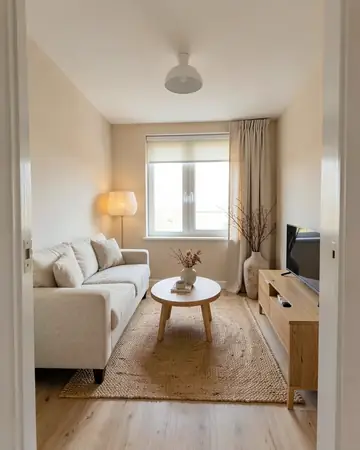 Living roomSofa, walls, curtains, lighting
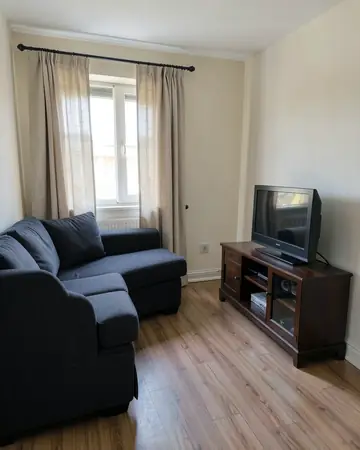 Modern living roomPalette, materials and small-space ideas
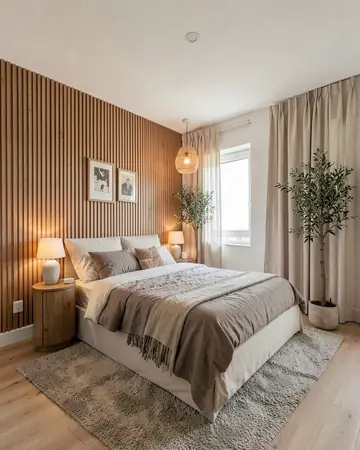 Accent wallPaint, slats and panelling for one wall
More guides
Free AI interior design app: how it worksHouse mode: free AI exterior design for your house