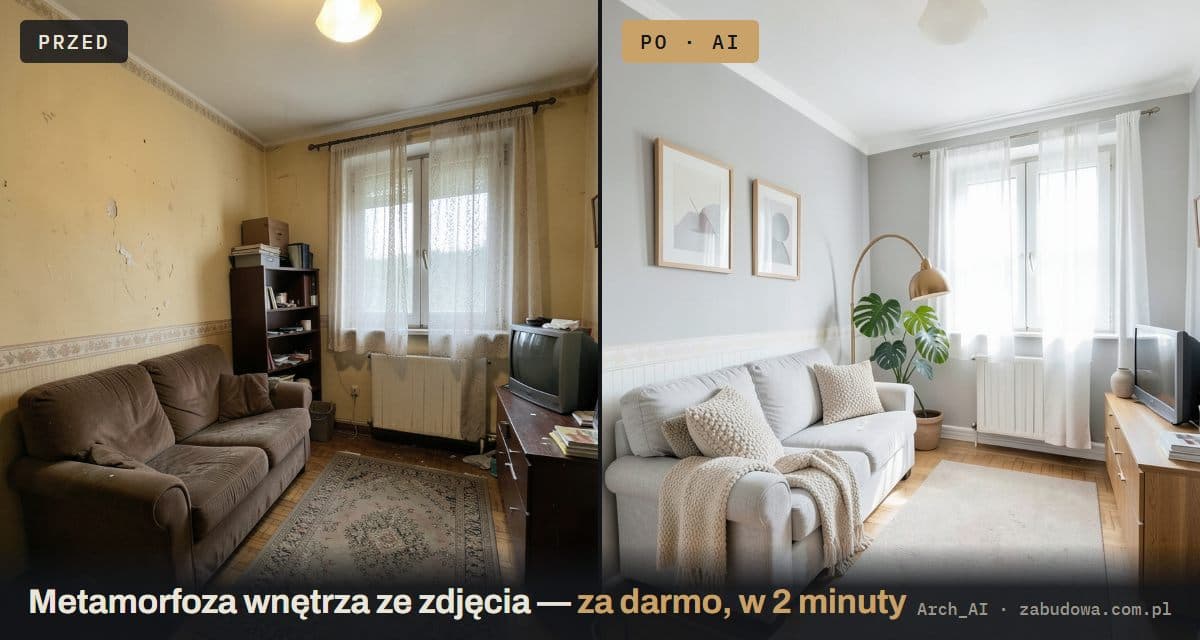
What zabudowa.arch is, and why it costs nothing
zabudowa.arch (formerly Arch_AI) is a free Android app that does one job well: it turns a photo of your room into three AI-designed makeovers. No floor plans, no 3D software, no account. You take a photo, pick what to change, and about a minute later you are comparing three finished designs.
The app comes from the team behind Zabudowa.com.pl, a plot and zoning analysis tool. You create designs with no sign-up, no subscription and no ads, within a daily and a monthly limit that depends on your country. A run that fails never counts toward your limit. That is unusual: many popular AI interior design apps lure you in for free, then hold the result back until you pay. More on that in the comparison below.
- No account — no email, no password. You start right away.
- 10 in-app languages, plus dark mode.
- Android today — get it on Google Play. iOS is planned.
What is new in version 1.0 (October 2026)
On 5 October 2026 the app shipped a full redesign. If you read an earlier review of Arch_AI, here is what changed:
- New name: zabudowa.arch. On Google Play it is listed as “AI Interior Design: Room Ideas”.
- Faster: three designs in about a minute.
- Named designs A, B and C, each with a short description, so picking a favorite is easy.
- Change one thing or restyle everything: adjust up to two elements, or redo the whole room in a style you choose.
- Bring your own product: add a photo of a lamp, a floor or a paint color and the design is built around it.
- Shop the look lists for every design, with links to popular online stores.
- Sample rooms, a before/after slider, and save and share.
- 10 languages instead of one.
How it works: from photo to 3 designs in about a minute
Three steps, and no design skills required:
- Take a photo or choose one from your gallery. No room nearby? Try a sample room.
- Pick what to change. Choose up to two things from wall color, ceiling, lighting, curtains and blinds, flooring or an accent wall, or restyle the whole room. Describe the change in your own words or tap a suggestion.
- Get 3 designs, A, B and C. Drag the slider to compare before and after, then save your favorite or share it.
You can leave the app while it works and you will get a notification when your designs are ready. Save the ones you like: photos and designs are deleted after 24 hours.
Your room stays your room
Most AI image generators invent a pretty room. zabudowa.arch redesigns yours. The design is built on your own photo, and windows, doors and layout stay exactly where they are. It answers “what will my room look like after the makeover?” instead of “what does some nice room on the internet look like?”.
It is just as handy when you are buying or renting a place. Photograph a tired, empty apartment during the viewing and see whether it could become something you would love living in.
A paint color visualizer for the whole room
Wondering how sage green or warm white would look on your walls? Choose wall color, type a shade and see it in three designs of your own room, each with paint to match. It works as a paint color visualizer that shows the whole room, not a tiny swatch, so you see how the color plays with your floor, curtains and window light.
One honest caveat: designs are AI-generated images for inspiration. Colors and materials can look different in real life, so test a sample on the wall before you buy a bucket.
Styles: from Scandinavian to Japandi
Instead of tweaking one element, restyle the entire room. The app offers eight ready-made directions, plus a custom one you describe:
- Scandinavian and Japandi: light wood, calm, natural fabrics;
- modern classic and warm minimal;
- industrial (loft) and mid-century;
- boho and coastal;
- any style you can put into words.
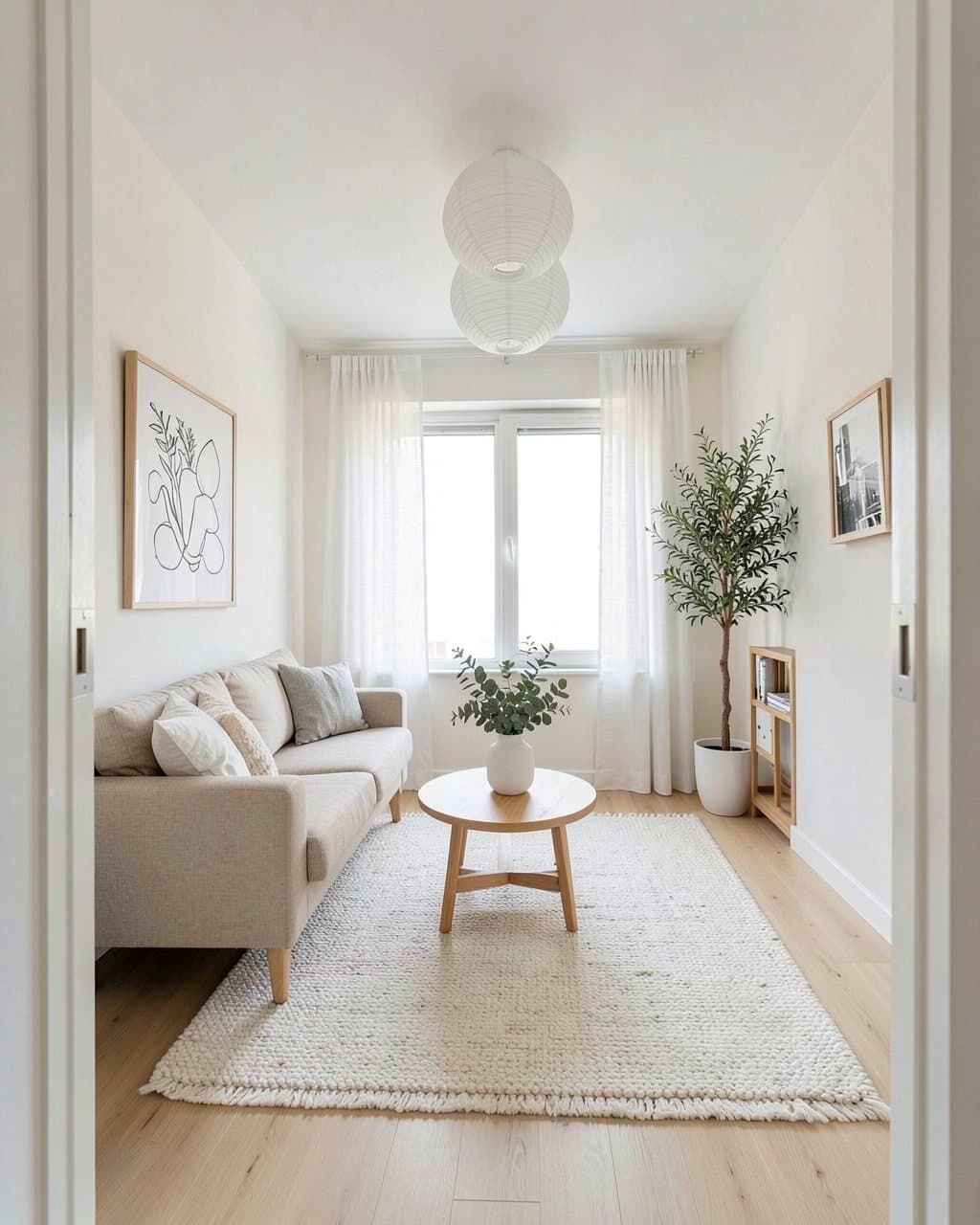
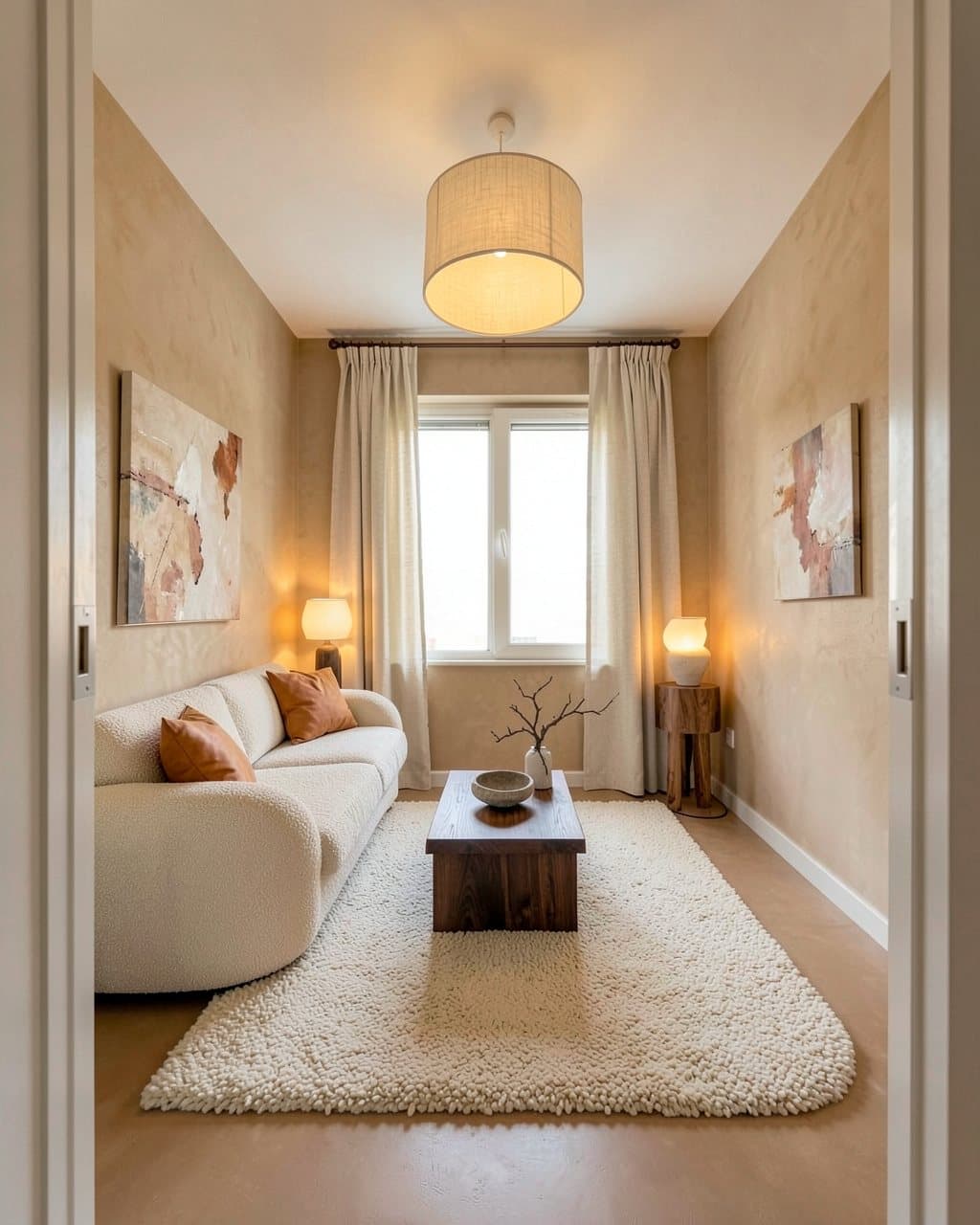
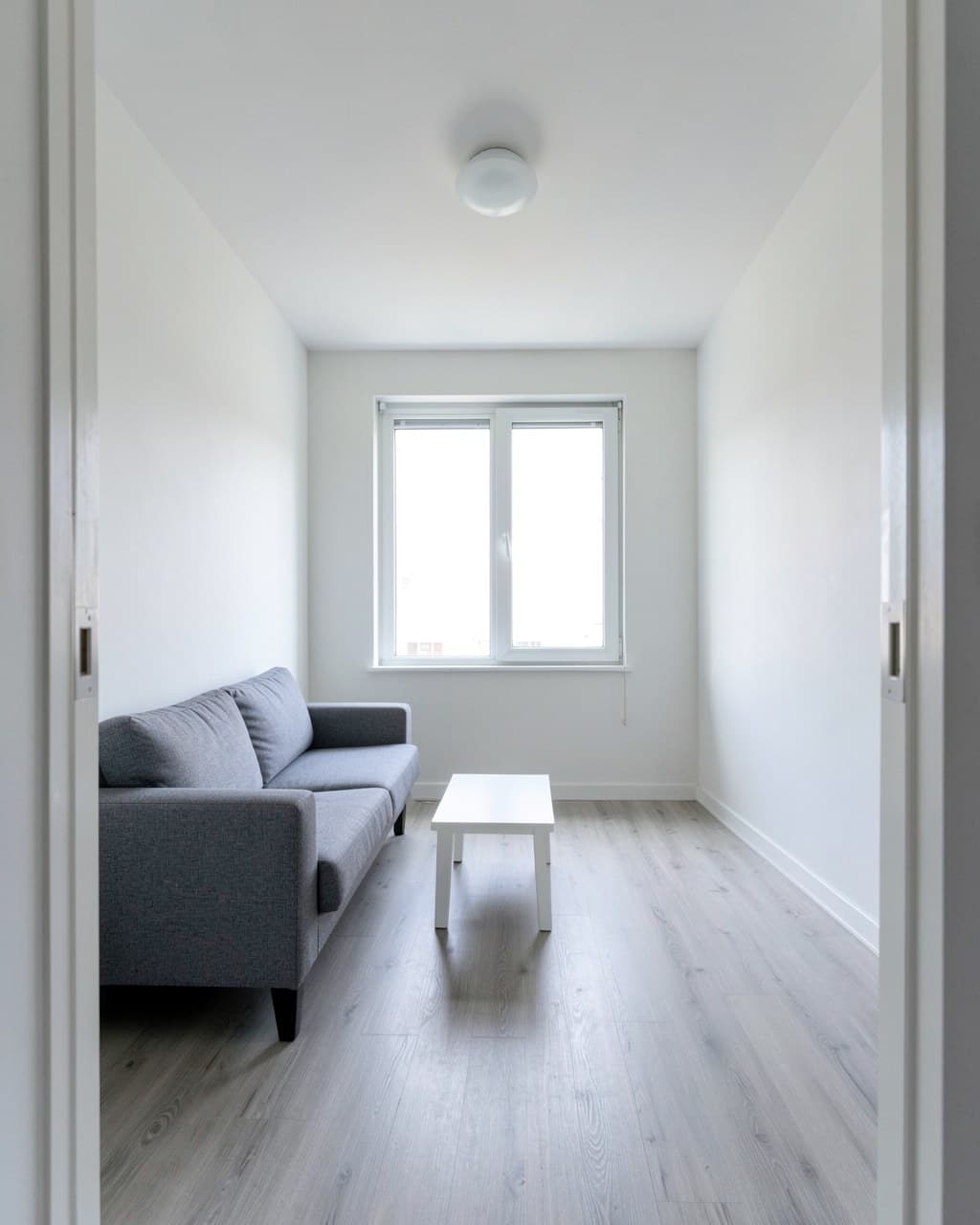
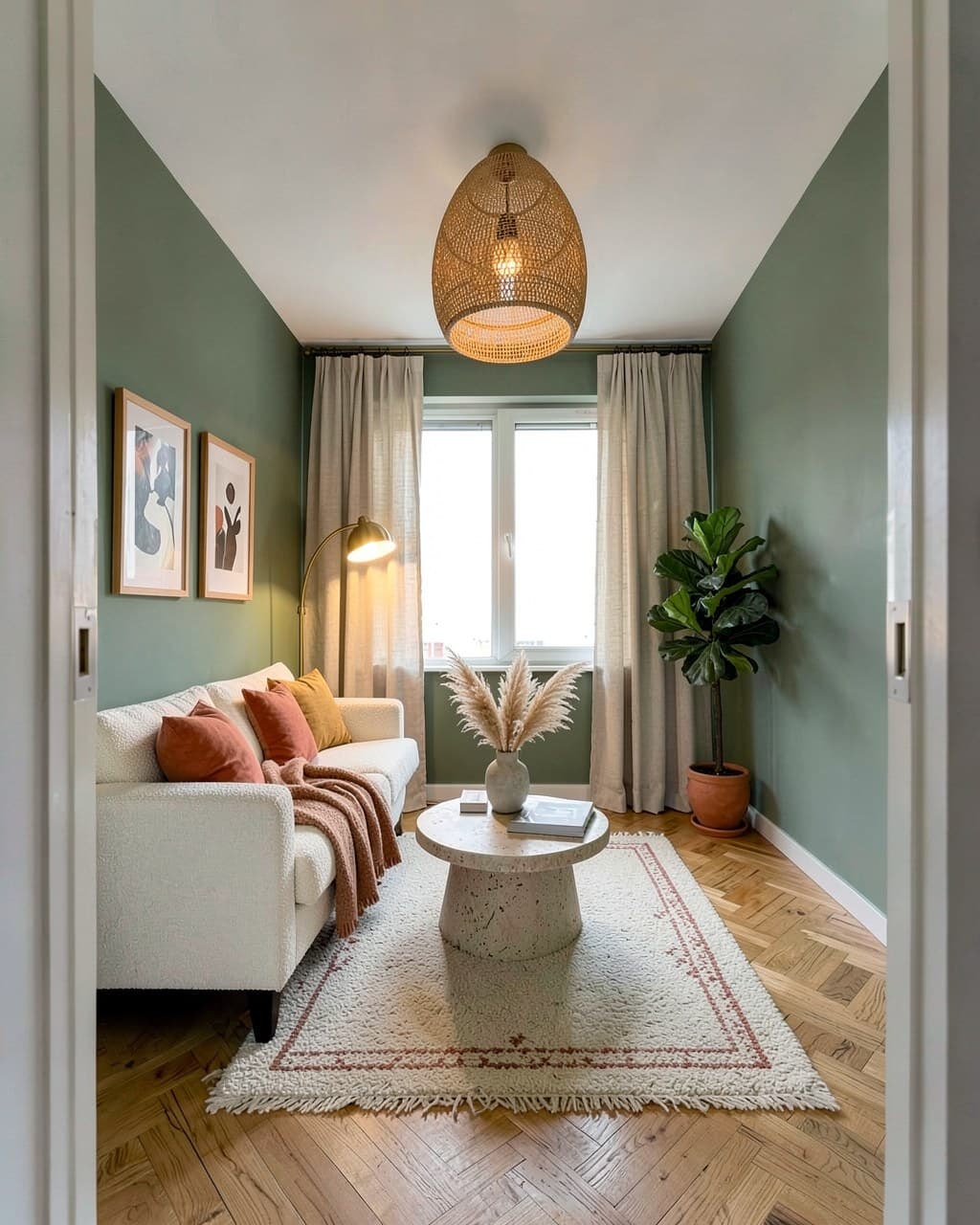
Both designs come from the same photo as the before/after pair above. The window and the layout did not move.
Shop the look: from render to shopping list
Most AI tools stop at a nice picture and leave you wondering “great, but what paint is that?”. Under every design, zabudowa.arch lists matching products for what changed: wall paint, lighting, curtains and blinds, flooring and decor, with links to popular online stores.
- Where full product data exists, you also see the store, the price and an estimated total.
- Everywhere else, each item comes with a ready-made search on popular online stores and local shops, without prices.
Prices are set by the stores and can change. You choose which country your products come from in Settings. Some store links are affiliate links: we may earn a small commission at no extra cost to you.
Already have a lamp, a floor or a paint color in mind? Add a photo of it and the design is built around that product, so you can see it in your room before you buy.
How free is “free”? zabudowa.arch vs. other apps
Roundups of “free AI interior design apps” share a problem: most of the tools they list are free in name only. Typical catches are a required sign-up, a cap of a few generations, a watermark, or a paywall right before you see the result. Here is a fair comparison:
| Tool | Free tier | Sign-up |
|---|---|---|
| zabudowa.arch | free within a daily and monthly limit; no subscription, no ads | no |
| RoomGPT | heavily limited; full features need a paid plan | yes |
| Interior AI | a few renders per day | yes |
| Planner 5D | free modeling; renders and asset libraries are paid | yes |
zabudowa.arch’s limits depend on your country and keep the service fast for everyone. The comparison reflects the publicly described terms of these tools and may change, so check each provider’s current plan before you decide.
What happens to your photos
You are uploading pictures of your home, so the rules should be short and easy to check:
- no account, email or password;
- photos and designs are deleted after 24 hours, so save the ones you like;
- your photo and notes go to our AI partners only to create your designs; we do not sell your data;
- you can delete your data in Settings at any time;
- please photograph rooms, not people;
- the full details are in the privacy policy (mobile app section).
How to get it and where to start
Download it free from Google Play: AI Interior Design: Room Ideas (zabudowa.arch). A good first run: photograph the room that bugs you most and change only the wall color and the lighting. That alone often makes a room feel new. Want a bigger shift? Restyle the whole room, for example as Japandi.
And if you are planning to build, not renovate, try the other half of the ecosystem: Zabudowa.com.pl, which analyzes a plot of land in Poland and shows what you can build on it. Start with how Zabudowa.com.pl analyzes your plot.
Check your plot
Enter the plot number and find out in 2 minutes what you can build on it. Free, no sign-up. (The analysis tool is in Polish and covers Polish plots.)
Analyze a plot for freeRelated articles
Buying Land in Poland: 12 Checks That Can Save You Thousands
A 12-point checklist for buying building land in Poland: local zoning plan, zoning conditions, utilities, road access, soil, flood risk and land register.
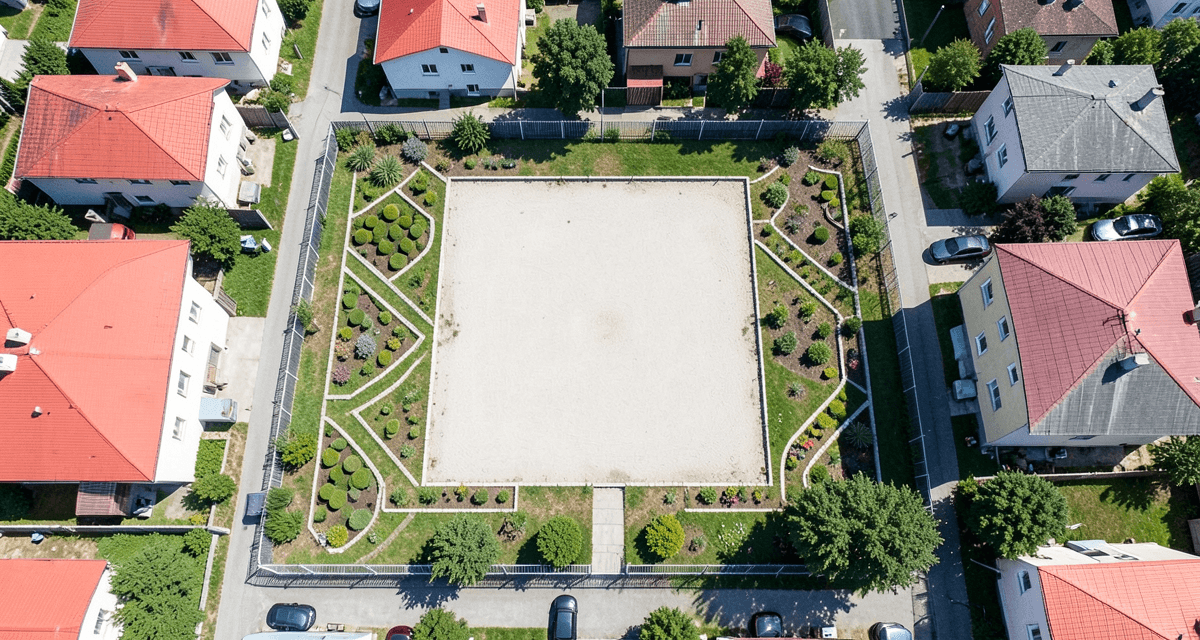
How Zabudowa.com.pl Analyzes Your Plot of Land in 2 Minutes
See the technology behind automatic zoning analysis of a plot in Poland: from the ULDK cadastre lookup to a PDF report with building variants, in 2 minutes.
Building Intensity Ratio in Poland: What It Is and How to Calculate It (With Example)
Polish building intensity ratio explained step by step: the statutory definition, above-ground vs total intensity, a worked example and permit-blocking mistakes.